Bookkeeping for Malaysian SMEs
Less bookkeeping. Clearer numbers.
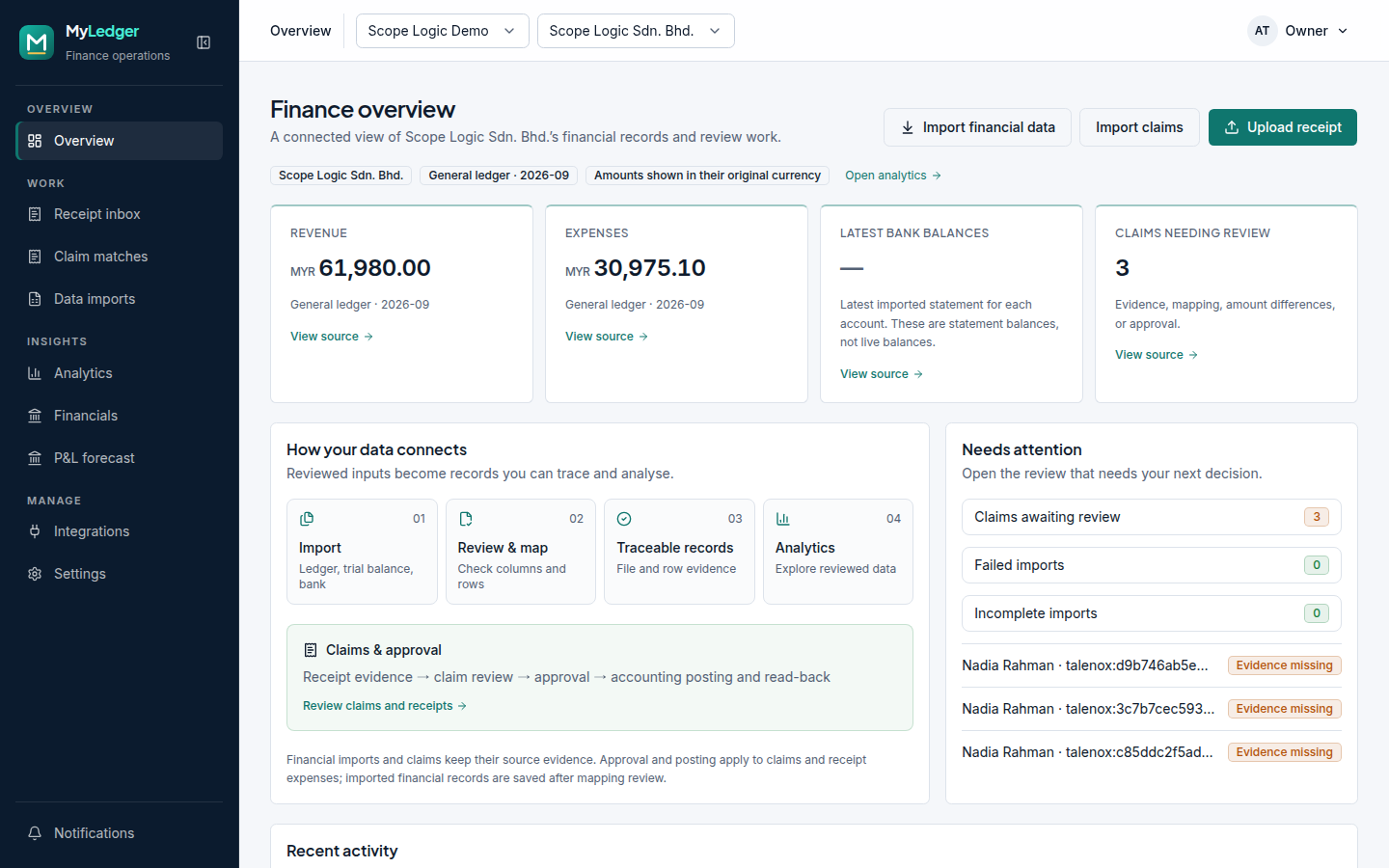
MyLedger reads your receipts, staff claims and bank files, suggests the right account from your own Bukku chart, and posts only what you approve, then checks it landed correctly.
Works alongside Bukku, Employment Hero and Talenox claims reports.
Features
Everything between the receipt and the books
MyLedger prepares the work so your time goes on decisions, not data entry.
Receipts read for you
Upload a photo or PDF and the merchant, date, amount and tax are filled in. Duplicates are caught before they are booked twice.
The right account, first time
Suggestions come from your own Bukku chart of accounts, so entries match how your business already keeps its books.
Nothing posts without approval
You approve the exact entry before it reaches your books. Staff can prepare work; only you sign it off.
Claims without the chasing
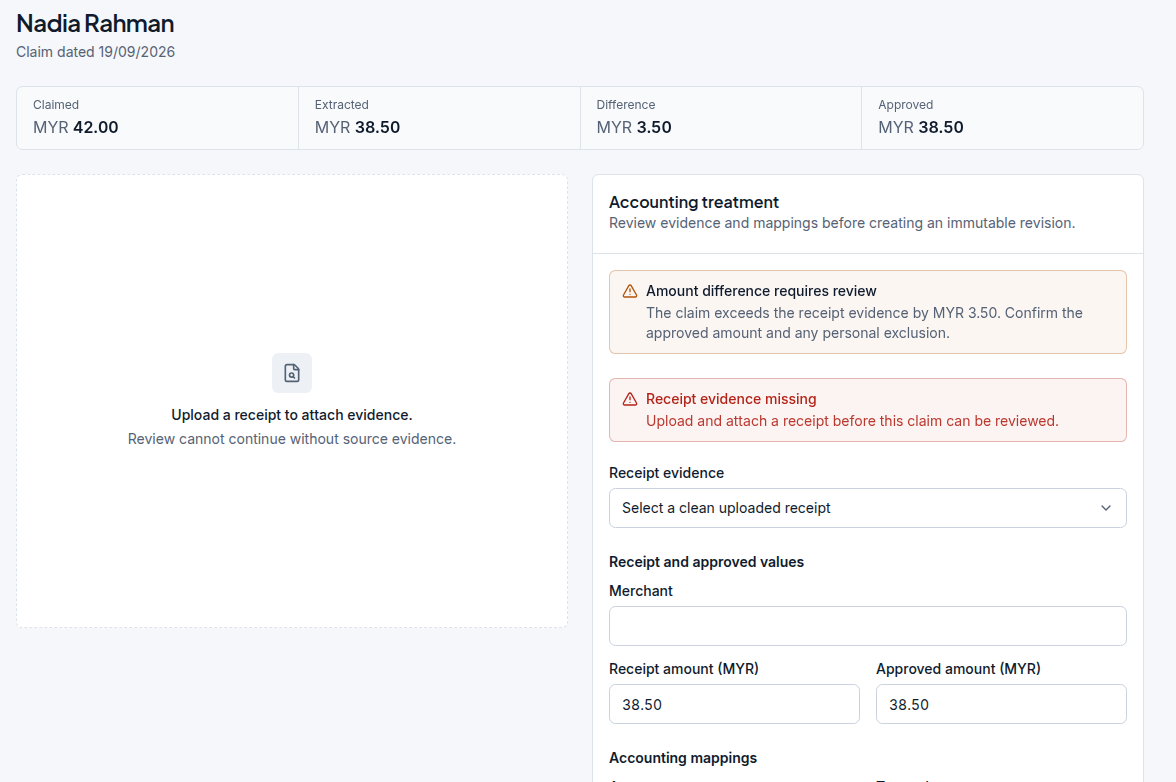
Staff claims from Employment Hero or a Talenox report are matched to receipts. Missing receipts and differences are flagged in one queue.
Posted, then checked
After posting to Bukku, MyLedger reads the entry back and confirms it matches. Anything that does not is flagged, not missed.
Ask your numbers
Type a question in plain English, such as monthly spend by supplier, and get a chart you can edit, save and pin.
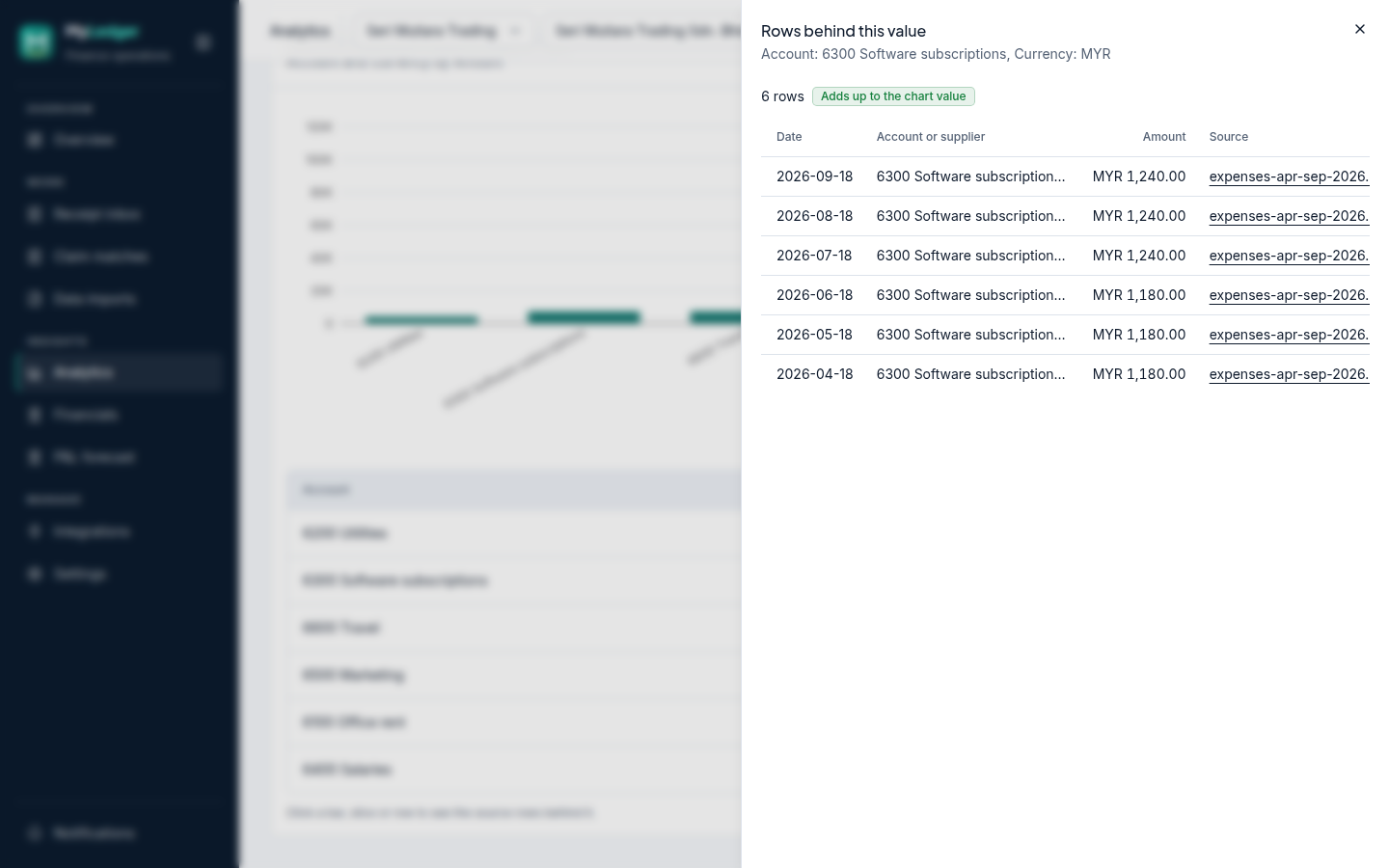
Every number has proof
Click any figure to see the receipt, claim or ledger row behind it. The rows add up to the number on screen.
A complete paper trail
Every approval, change and posting is logged with who did it and when, with retention you control.
Receipts
From a photo to a reviewed entry
Snap a receipt or drop in a PDF. MyLedger reads it, shows how confident it is about each field, and keeps the original file alongside the entry for your auditor.
- Merchant, date, amount and SST filled in
- Duplicate receipts caught on upload
- Original file retained with the entry

Staff claims
Claims matched against the evidence
Bring in claims from your HR system and see, in one queue, which have a matching receipt, which are missing one, and where the amounts differ.
- Employment Hero sync or a Talenox claims report
- Missing receipts and amount differences flagged
- The amount posted is the amount you approved
Analytics
Ask a question. See the proof.
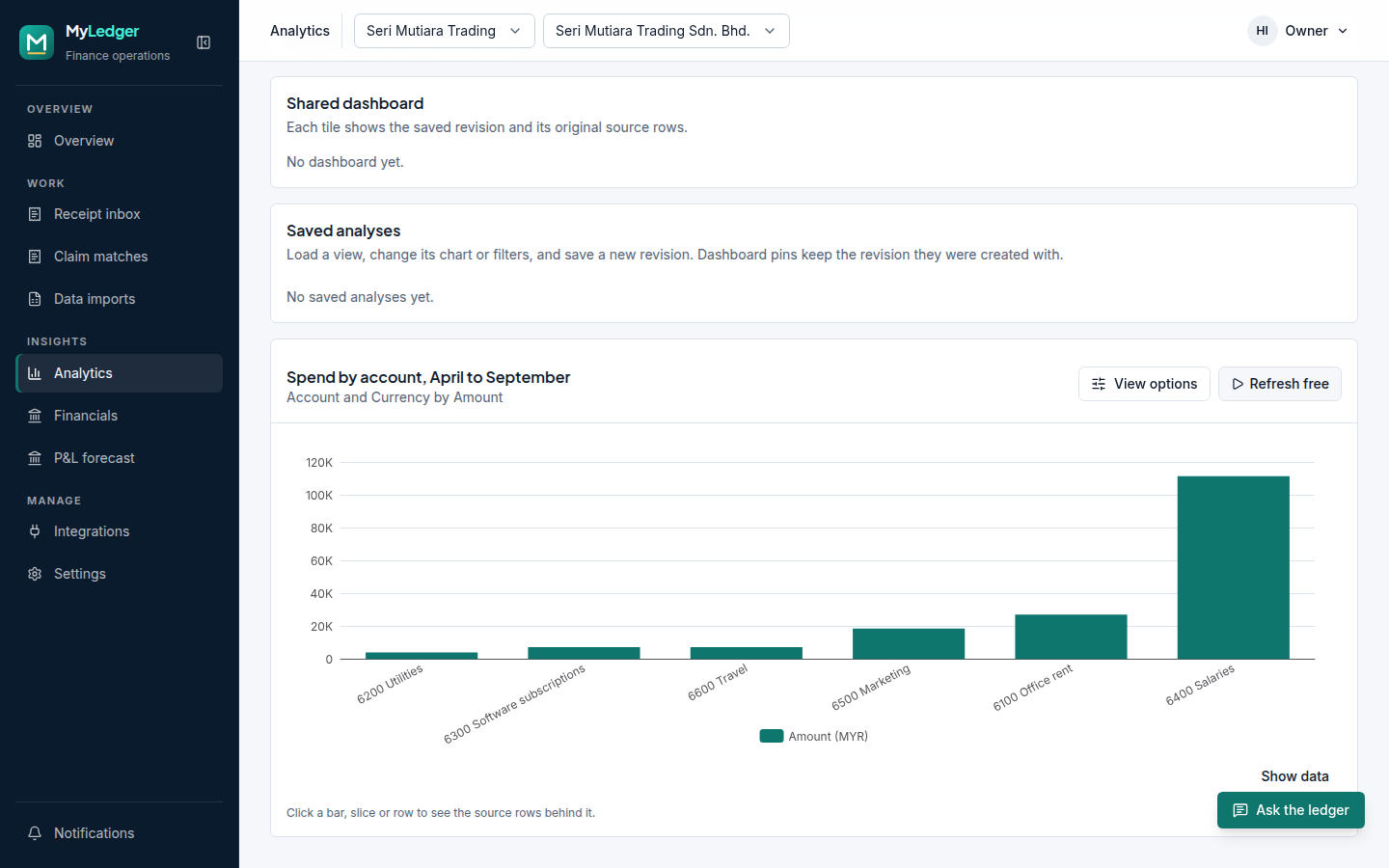
Revenue, expenses and spending by account or month, from your own records. Open any bar to see exactly which rows make it up.
- Plain-English questions or a ready-made library
- Change chart type, grouping and filters for free
- Save, pin to a dashboard and revise later
Imports
Your ledger, trial balance and bank files, checked
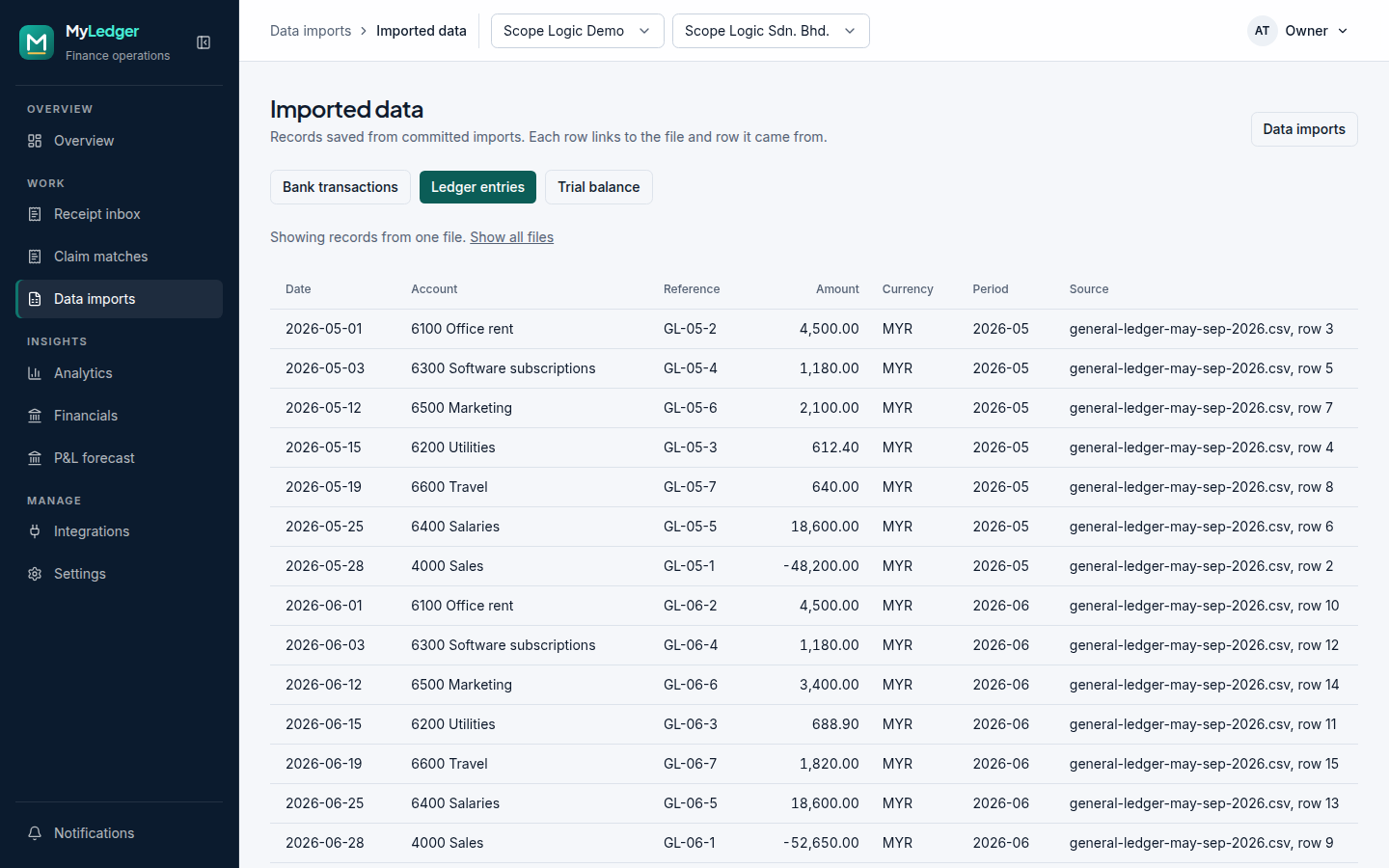
Import from spreadsheets and PDFs. MyLedger maps the columns, flags bad dates, amounts and accounts row by row, and commits only what you approve.
- General ledger, trial balance and bank statements
- Row-level issues to fix before anything is committed
- Every figure traceable to its file and row
How it works
Up and running in an afternoon
- 01
Create your company
Sign up and set up your workspace in minutes.
- 02
Connect Bukku
Recommended, not required. Your chart of accounts drives the suggestions.
- 03
Bring in your records
Upload receipts and past records, or invite a colleague to help.
- 04
Approve and watch the numbers
Approve entries, and see your figures update with the proof behind them.
Security and control
You stay in control of your books
MyLedger does not approve entries on its own, make payments, file taxes or replace your accountant. It prepares the work and shows its evidence; you make the decisions.
- AI suggests; people decide. Nothing is approved automatically.
- The AI cannot write to your database or see your credentials.
- Each company's data is isolated by the database itself, not just the app.
- Connection credentials are encrypted at rest.
- Every approval, change and posting is recorded in an audit trail.
Coming next
- Three-month profit forecast from your Bukku data
- Payroll checked against Bukku, including EPF, SOCSO and EIS
- Budgets against actuals, across several companies
- Exports to PDF and Excel